 FaysOrder
 / Bakery
Bakery order book and order tracking
Updated: November 10, 2026
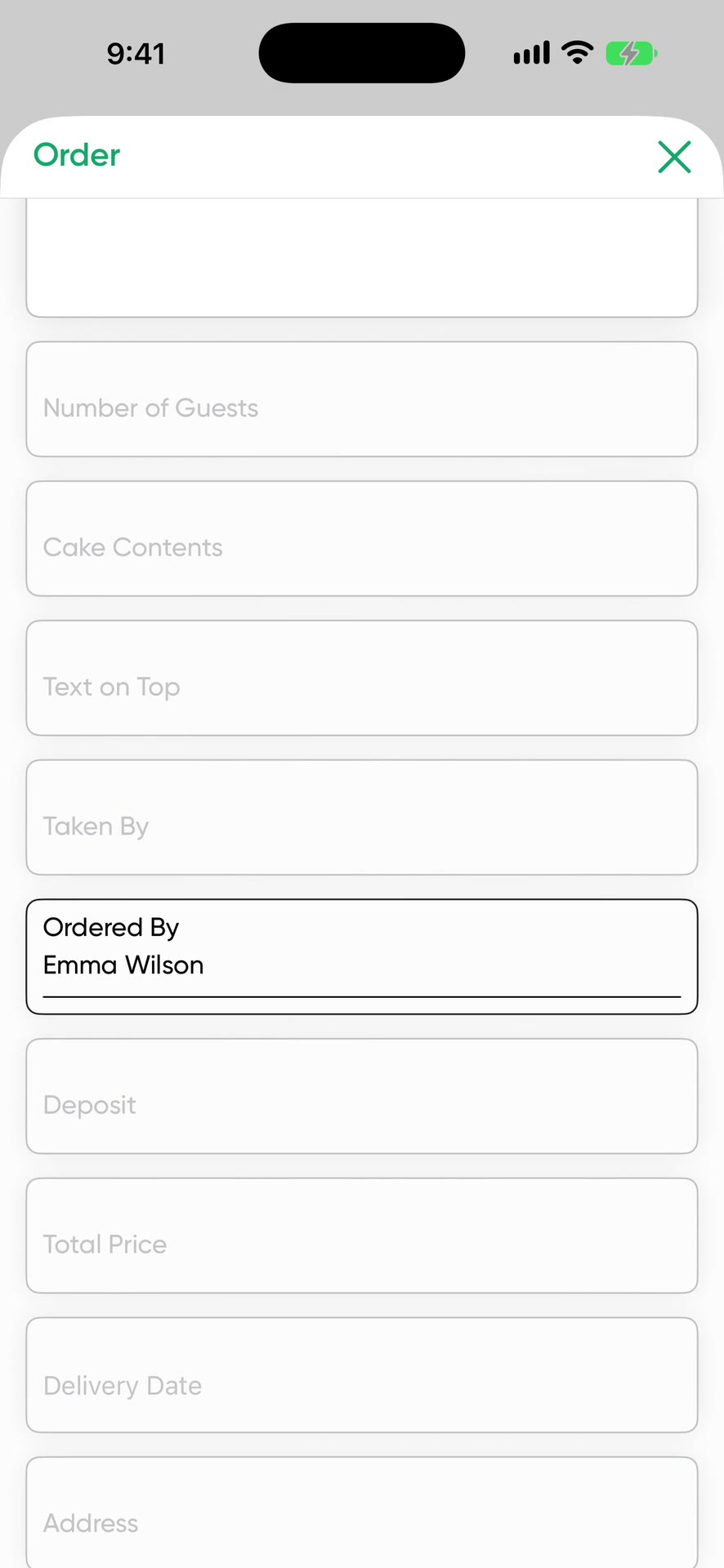
FaysOrder is a bakery order book for iPhone and iPad. Pick Bakery during setup and the order form comes with fields for number of guests, cake details and the message on the cake. The deposit, delivery date and reminder are on the same card.
What a cake order holds
- Customer, phone number and address
- Number of guests
- Cake details: layers, cream, fruit, filling
- Message on the cake
- A sample photo from the customer
- Total price and deposit received
- Delivery date and time
If you need something the form doesn't have, add your own field. A field can be text, a number, long text, a date, a photo or money. If you ask about gluten-free or sugar-free on every order, add it to the form once.
A sample cake order
- Customer
- Sarah K., (555) 000-0000
- Guests
- 12
- Contents
- Two layers, chocolate, raspberry
- Message on the cake
- Happy Birthday Emma
- Price
- $180, $50 deposit received
- Delivery
- Saturday 2:00 PM, pickup at the shop
- Status
- Preparing
This card shows up in the order list, on Saturday in the calendar and, if you set a reminder, in a notification. When the customer calls to ask about the cake, type their name into the search box.
See the busy days coming
Bakery work piles up on certain days: Valentine's Day, Mother's Day, graduation week, wedding and engagement season. The calendar shows how many cakes are due each day, so you can see what the kitchen can handle before you accept that week's orders. Set a reminder on an order and the phone rings like an alarm before delivery.
Cake orders that arrive by message
Send the customer's message to FaysOrder from the share menu and it lands inside a new order. Order with AI reads the text and puts the guest count, the message on the cake and the delivery day into the right fields. You check the fields before saving.
Your team in the kitchen
A team member you add sees only the orders assigned to them and never sees prices. The order form prints on a regular printer in A4, A5 or A6 and can be pinned up at the counter. Scanning its QR code opens the order in the app, and whoever finishes the cake sets it to Ready from there.
Price
Free to download, and your first 10 orders are free. After that it's a subscription. The App Store shows the current price for your country.
Order with AI uses credits. You get 1 a day for free, 30 a week on the weekly plan or 100 a month on the yearly plan. Unused credits don't carry over. One credit reads up to 50 messages. Extra packs of 100, 300 and 1,000 credits don't expire.
Frequently asked questions
Can FaysOrder replace my bakery order book?
Yes. Everything you keep in the book (customer, guest count, contents, text, deposit, delivery day) sits on one card in FaysOrder. You also get search by customer name, a calendar and a reminder that rings before delivery.
Can I add a photo of the cake?
Yes. You can attach the sample cake photo your customer sent to the order.
How do I track the deposit and the balance?
The total price and the deposit received have separate fields on the order. Your team members don't see prices.
Can I add a field the form doesn't have?
Yes. You can add your own field as text, a number, long text, a date, a photo or money.
Download on the App Store